You can delete your WhaleAlert account and its data at any time, from the app, in a few seconds. It cannot be undone.
In the app
- Open WhaleAlert and go to Settings.
- Choose Delete account.
- Confirm. The app asks twice, so it can’t happen by accident.
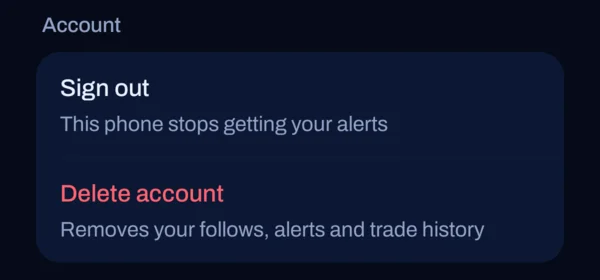
What is deleted
Deleting your account removes, from our database:
- your account and your wallet’s public address;
- your push notification token, so alerts stop;
- the wallets you follow, with your nicknames and alert settings;
- your alert history;
- your price alerts and your alert preferences;
- the records of trades you made in the app;
- your Basic or Pro pass and the record of how it was granted;
- the record of your Seeker Genesis Token check;
- the days you opened the app, when you first set up, your feedback and your answer to “What brings you here?”;
- your invite code and who invited you. People you invited keep their accounts, without the link to you.
A copy of feedback you sent stays in the operator’s Telegram chat until you ask us to remove it. Server logs, which contain IP addresses, are deleted automatically after about 30 days. Crash reports kept by Sentry expire under its retention period. If you sign in again later with the same wallet, you start with a new, empty account.
What we cannot delete
Anything on the Solana blockchain is public and permanent, including the trades you made through WhaleAlert. Neither we nor anyone else can delete it. Your wallet app, Jupiter and the Solana dApp Store keep their own records under their own policies.
One record stays in our database, with no link to you or your wallet: if you paid for a Basic or Pro pass, the payment record (amount, currency and transaction signature) we keep for accounting.
Deleting your WhaleAlert account never touches your wallet, your keys or your funds. They were never with us.
If you can’t open the app
Email support@whalealert.fun with the subject “Delete my WhaleAlert account” and the public address of the wallet you signed in with. Because anyone can quote a public address, we will ask you to confirm that the wallet is yours before we delete anything, and we will reply when it is done.
Never send your seed phrase or private key to anyone, including us. We will never ask for them.